Introduction to Methods in Java
A method in Java is a named block of code that performs a specific task. Methods help us organize a program into smaller, reusable parts.
What is a Method?
Instead of writing the same statements repeatedly, we can place them inside a method and call that method whenever needed.
Example 1: Calling a Method
class ShikshaSanchar {
    // Method definition
    static void add() {
        int a = 10;
        int b = 20;
        System.out.println(a + b);
    }

    public static void main(String[] args) {
        // Method call
        add();
    }
}
Output:
30
Explanation:
add()is a method.main()callsadd(), so the statements inside it are executed.- The values 10 and 20 are added and printed as 30.
staticallows the method to be called frommain()without creating an object.
Why Use Methods?
- They divide a program into smaller parts.
- They avoid repeated code.
- They make code easier to read and maintain.
- They make code reusable.
Method Syntax
The diagram below shows the basic structure of a Java method and the purpose of each part.
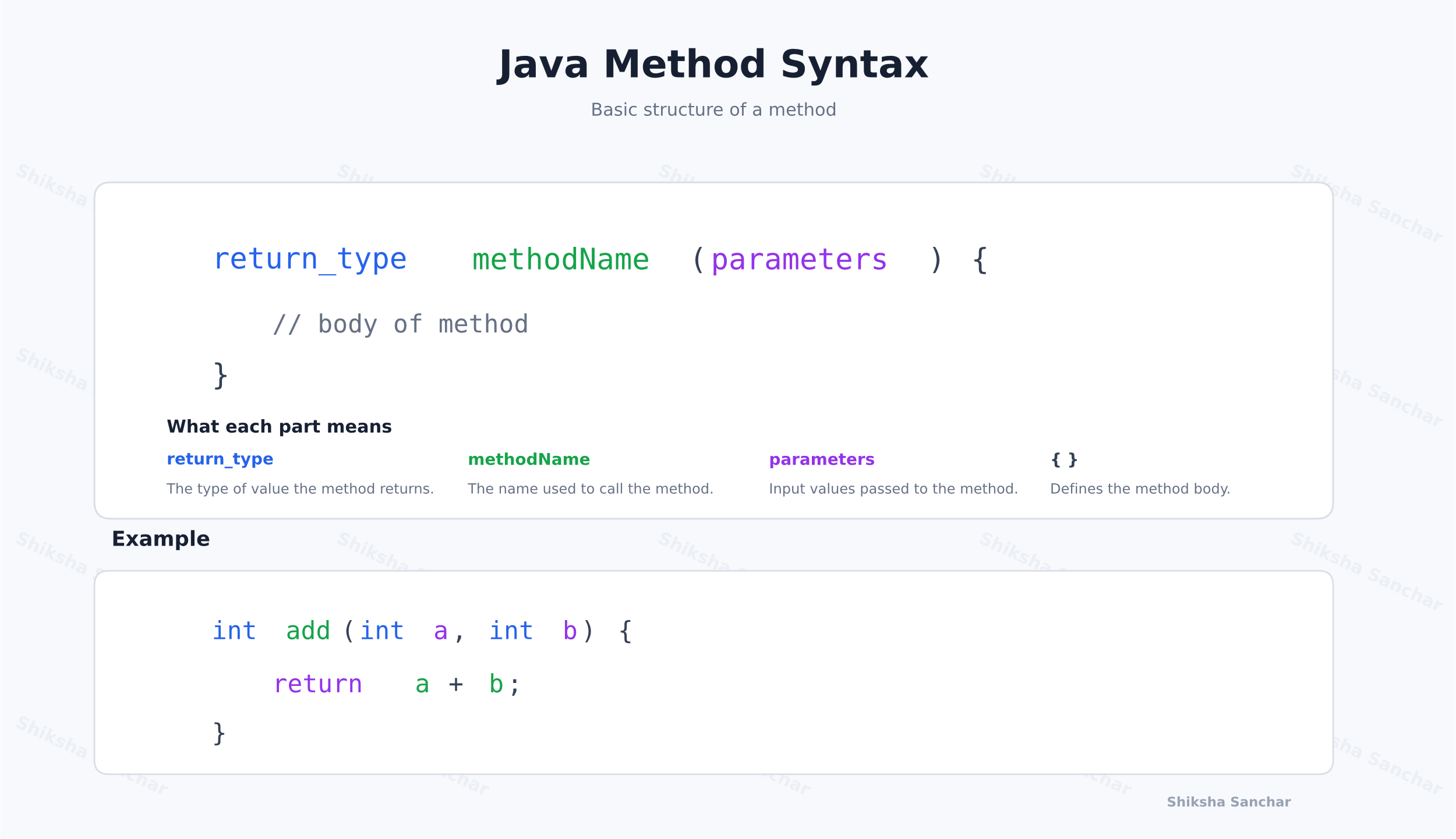
Explanation:
- Return type tells Java what value the method sends back. Use
voidwhen it does not return a value. - Method name is the name used to call the method, for example
add(). - Parameters are input values the method can receive. They stay inside parentheses.
- Method body contains the statements that run when the method is called.
Example 2: A Method That Returns a Value
class ShikshaSanchar {
    // Method definition: returns the sum of two values
    static int add(int a, int b) {
        return a + b;
    }

    public static void main(String[] args) {
        // Method call
        System.out.println(add(10, 20));
    }
}
Output:
30
Explanation:
add()is defined with return typeint.- The
returnstatement sends 30 back to the method call.
Example 3: A void Method
class ShikshaSanchar {
    // Method definition: prints a message and returns no value
    static void welcome() {
        System.out.println("Welcome to Java");
    }

    public static void main(String[] args) {
        // Method call
        welcome();
    }
}
Output:
Welcome to Java
Explanation:
welcome()is a separate method fromadd().- Its return type is
voidbecause it prints a message but does not return a value.
Defining and Calling a Method
Writing a method is called defining a method. A defined method runs only when it is called.
Example 4: Define and Call
class ShikshaSanchar {
    // Method definition
    static void message() {
        System.out.println("Hello");
    }

    public static void main(String[] args) {
        // Method call
        message();
    }
}
Output:
Hello
Explanation:
message()defines the method.message();calls it frommain().- The statement inside the method prints Hello.
Key Points:
- A method is a reusable block of code that performs a specific task.
- A method can accept parameters and return a value.
- A Java class can contain multiple methods.
- A method executes when it is called.